Ask any practitioner where their client notes live and you'll get a tour: a paper notebook for session notes, a WhatsApp thread for the photos, an email somewhere with the lab results, and the rest in memory. It works — until the client sits down and says "like we discussed last time", and you spend the first five minutes of the session reconstructing what last time was. Worse than the lost minutes is the lost trust: nobody enjoys repeating their story to the person who was supposed to be keeping it.
PayaCal's client pages are built to end that reconstruction. Every client now has one page that holds their whole history — every appointment, every note, every file — and it's fast enough to check mid-conversation.
One page per client
Open a client and the essentials are at the top: phone, email, birth date, and how they prefer to be reached. Right underneath sits a general note that's always in view — the goals, the allergy, the "works shifts, confirm week by week" — so the context you need first is the context you see first.
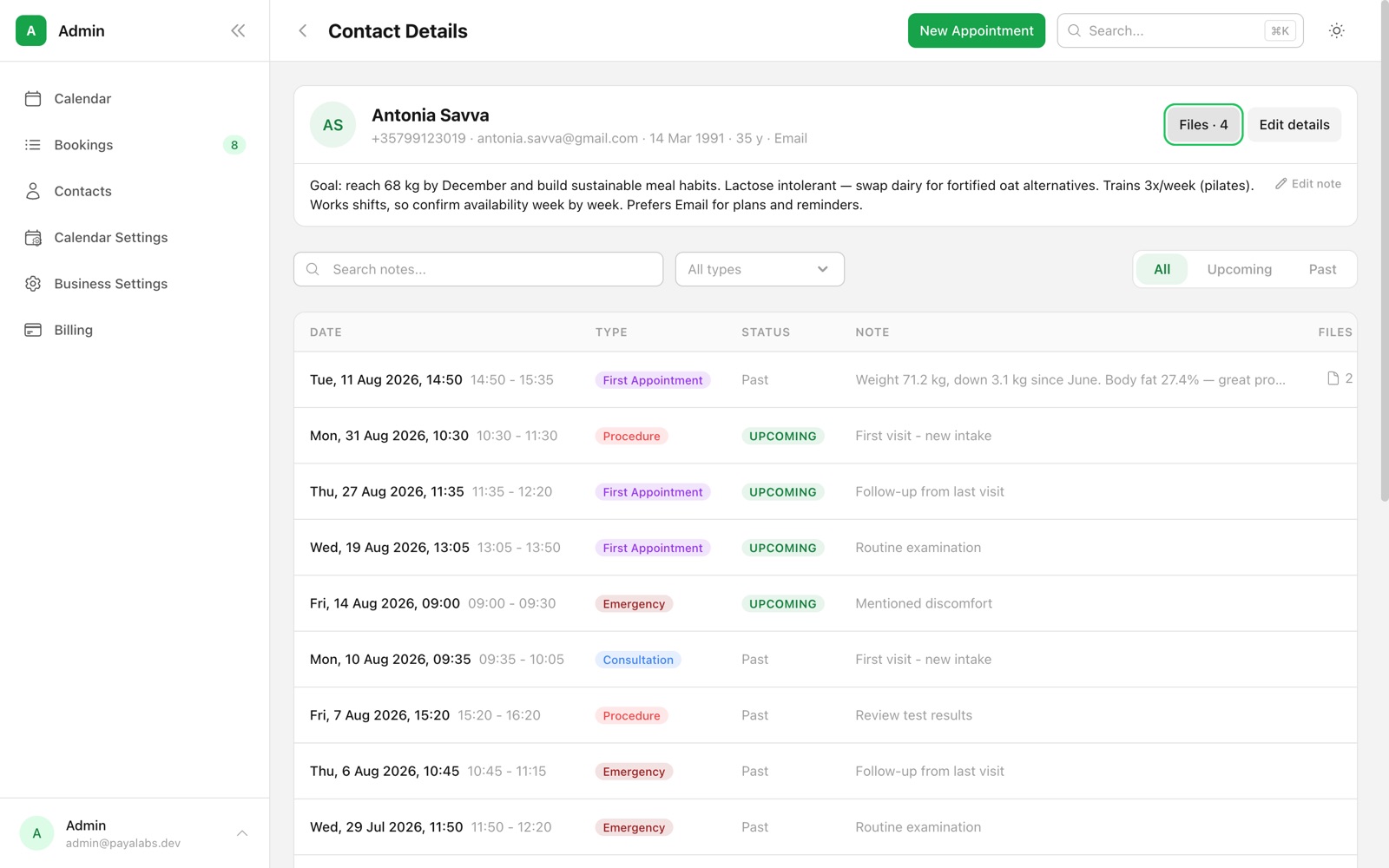
Below that, the full appointment history — past and upcoming in one list, each visit with its color-coded type, its note, and how many files it carries. Nothing to click through, nothing to export. Scroll and you're back in June.
Notes that live on the visit
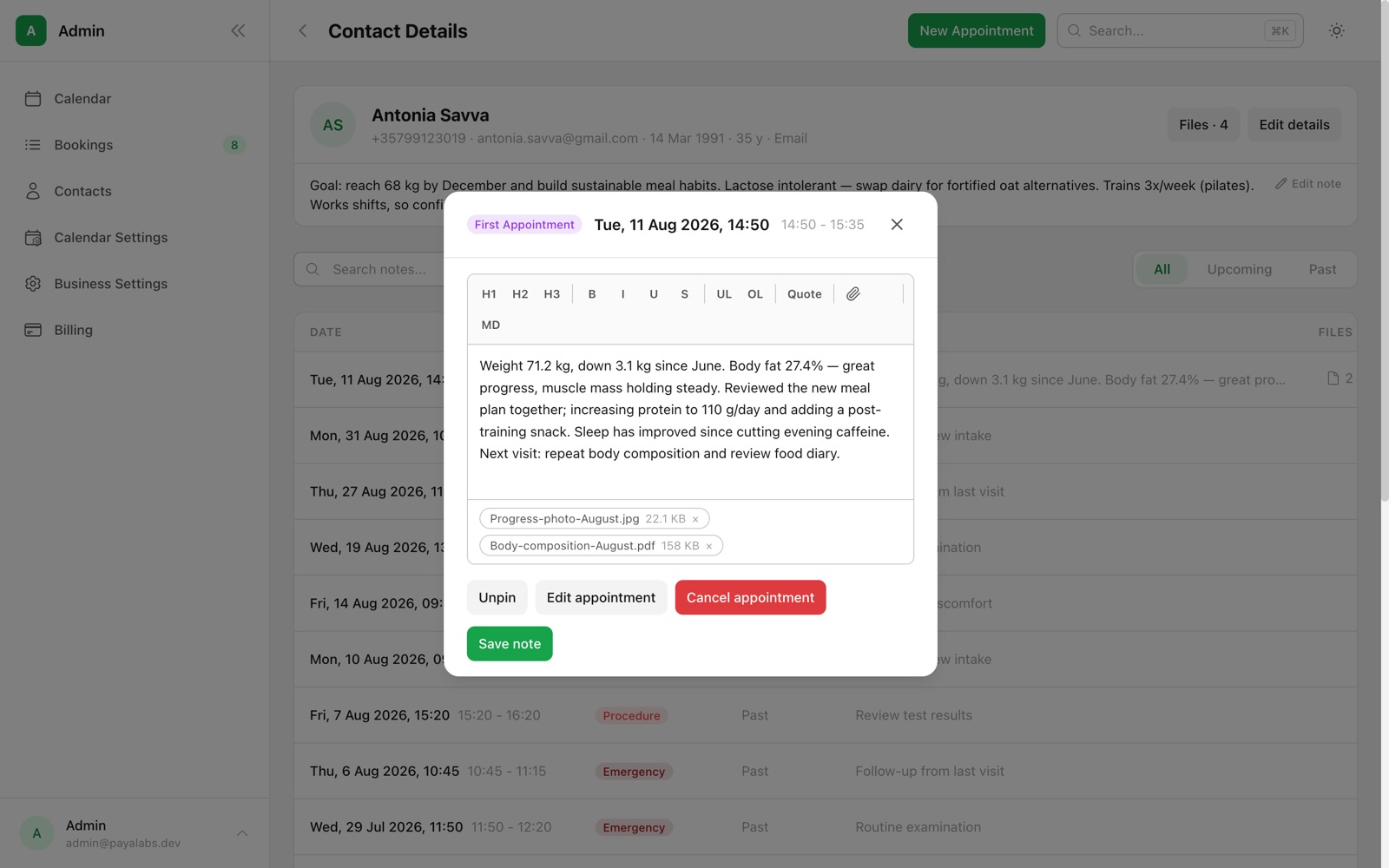
Session notes attach to the appointment they belong to, not to a separate notebook you have to cross-reference. Click any visit and write what happened — with real formatting: headings, lists, bold, even a markdown mode for the keyboard-inclined. The next time that client books, the note from last time is one click away, dated and in context.
Pin what matters
Some notes are only relevant to their visit; some matter every visit. Pin a note — the allergy warning, the long-term goal, the key result — and it stays at the top of the client's history no matter how many appointments come after it. The first thing you see is the thing you must not miss.
Search months of notes in seconds
Memory says "we measured that at some point"; search finds it. Type a phrase — "body fat", "knee", "gluten" — and the history narrows to the visits that mention it, instantly. Filter by appointment type, or flip between upcoming and past. What used to be a page-through-the-notebook exercise is now a keystroke.
Files attached where they belong
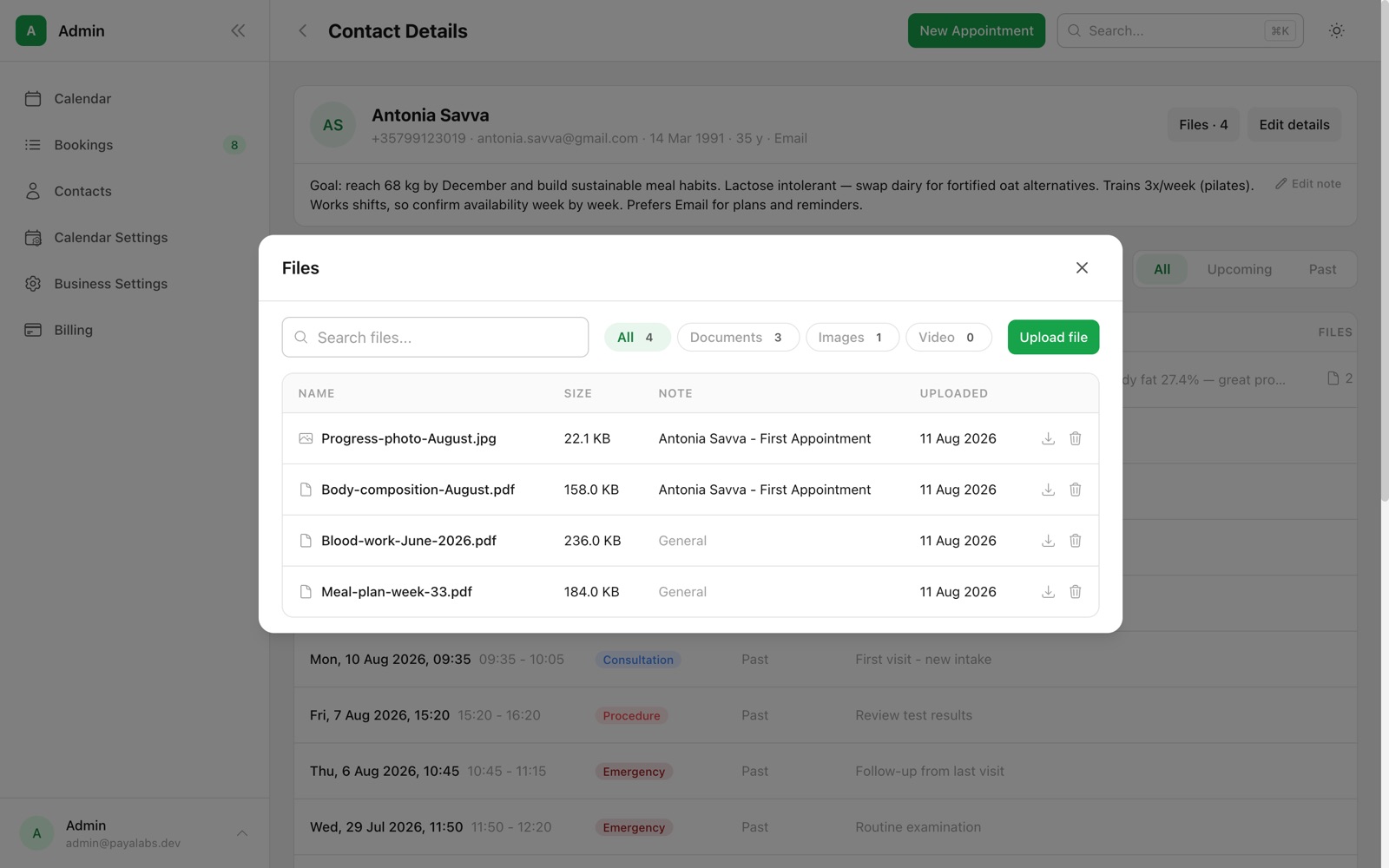
Lab results, meal plans, progress photos, consent forms — they can attach to a specific visit or to the client in general. The file browser shows everything in one place, filterable by documents, images and video, and every file remembers which appointment it came from: click through and you're looking at the visit, note and all.
With you in the room, or on the move
The same page works on a phone: visits become cards, the pinned note stays on top, and search works exactly the same. Checking a client's history on the way in takes the time it takes to unlock your phone.
Private by design
Client files are stored in secure cloud storage, isolated per business — your clients' documents are yours alone. And because notes and files live behind your PayaCal login rather than in a chat app's camera roll, sharing a phone no longer means sharing a client's file.
Client history is live now for every PayaCal account, alongside the calendar, public booking and automatic reminders. Open a client and start writing things down — future you will thank you at the next appointment.